Copy Text from Videos
with VidText
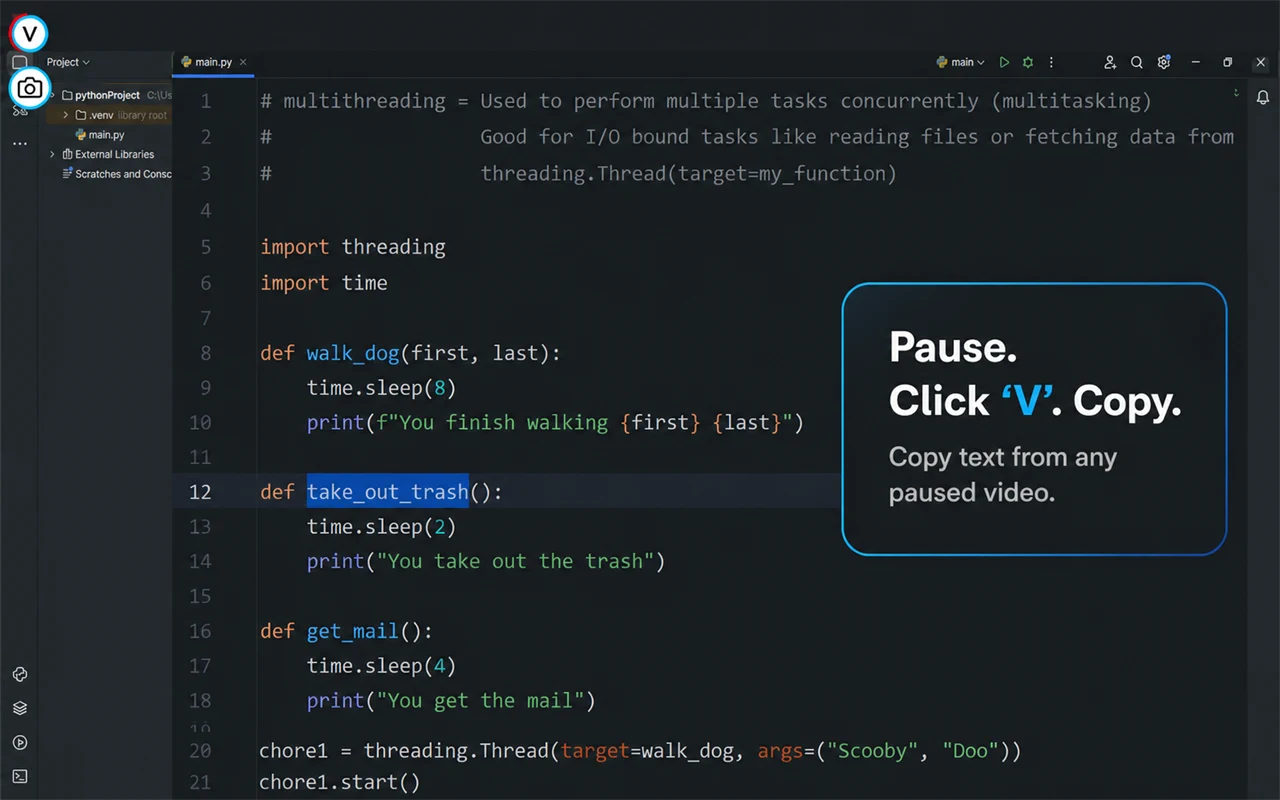
Pause a video, VidText instantly extracts the text using on-device AI. Select, copy, done. Works everywhere — YouTube, Udemy, Coursera, and any web video.
Free to use · No account needed · Video frames stay on your device
Everything You Need to Extract Video Text
Built for students, developers, and anyone who needs to grab text from video content — fast and privately.
Pause & Extract
Simply pause any video. VidText overlays selectable text right on the video frame, pixel-aligned to the original text position.
100% Local Processing
Powered by PP-OCRv5 running entirely in your browser via WebAssembly. Video frames never leave your device. Zero data collection.
Smart Text Selection
Click individual lines, drag-select regions, or grab everything at once. Copied text preserves reading order with proper line breaks.
Lossless Screenshots
One-click to copy the current video frame as a lossless PNG to your clipboard. Perfect for notes, documentation, or sharing.
Works Everywhere
YouTube, Udemy, Coursera, Vimeo, Kaltura, SharePoint — any webpage with a video element. Iframe support included.
Multi-Threaded WASM
Leverages WebAssembly SIMD with multi-threaded inference for fast OCR. Automatically adapts to your hardware capabilities.
Three Steps. That's It.
No setup, no configuration. Install the extension and start extracting text from any video.
Pause the Video
When you pause any video on any webpage, VidText automatically appears with its text extraction controls.
Text Appears Instantly
Local AI (PP-OCRv5) runs in your browser via WebAssembly. Recognized text is overlaid on the video, pixel-aligned to its original position.
Select & Copy
Click individual lines, drag-select a region, or copy everything. Text goes straight to your clipboard with proper reading order.
Your Videos Stay Yours
VidText runs entirely on your device. The OCR engine (PP-OCRv5) executes locally via WebAssembly — no video frames are ever uploaded to any server. No accounts, no API keys, no tracking.
No Cloud
All processing happens in your browser. Zero data leaves your device.
No Login
No account needed. Install and use immediately. No API keys required.
No Tracking
No analytics, no usage statistics, no third-party scripts. Period.
Why VidText?
Unlike cloud-based alternatives, VidText keeps everything on your machine.
| Feature | VidText | Typical Cloud OCR |
|---|---|---|
| Privacy | 100% local | Frames uploaded to cloud |
| Login Required | No | Usually yes |
| Cost | Free to use | Freemium / paid |
| Speed | Instant (WASM) | Network latency |
| Works Offline | Yes | No |
| Data Collection | None | Usage tracking |
Video Text Extraction FAQ
Quick answers about copying on-screen text from web videos.
How do I copy text from a video with VidText?
Pause the video, turn on VidText, then select a detected line or drag across the text you need. The selected text is copied to your clipboard in reading order.
Does VidText upload my videos or screenshots?
No. OCR runs on your device with WebAssembly, and video frames are not sent to a VidText server. Extracted text and screenshots go directly to your clipboard.
Which video sites does VidText support?
VidText is designed for standard web videos, including YouTube, Udemy, Coursera, Vimeo, Kaltura, SharePoint, and videos embedded in iframes. Site restrictions or protected video can affect availability.
Does VidText transcribe speech or audio?
VidText extracts visible words from video frames. It can copy on-screen captions when they are visible, but it does not transcribe the video's audio track.
What affects video OCR accuracy?
Sharper frames, larger text, good contrast, and a paused video improve recognition. Motion blur, compression, stylized fonts, and very small text can reduce accuracy.
Ready to Extract Text from Videos?
Install VidText in seconds. Free, private, and no account needed.
Find VidText on Chrome Web Store